What is the Interview Preparation feature?
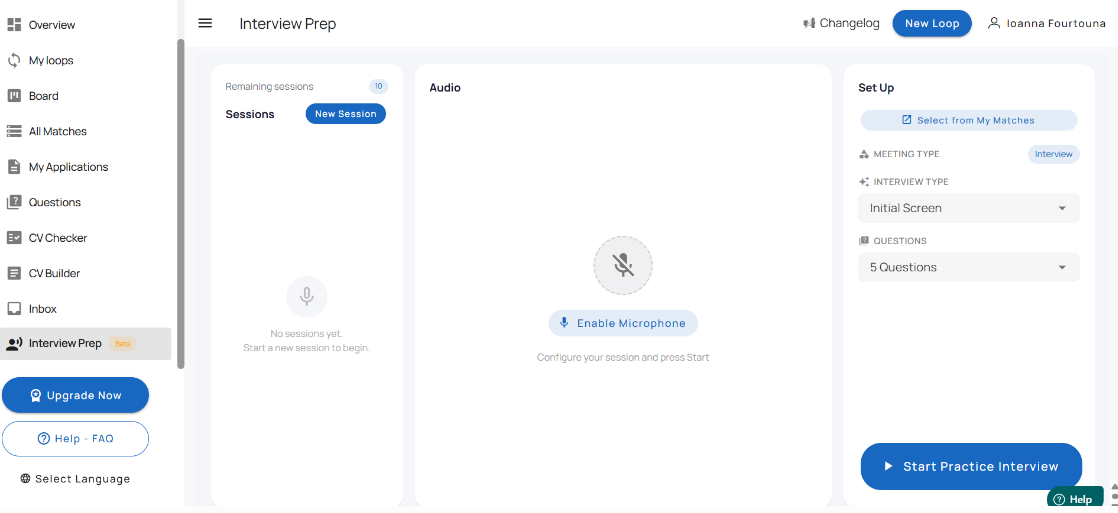
The Interview Preparation feature helps you practice for a specific job interview directly inside the platform.
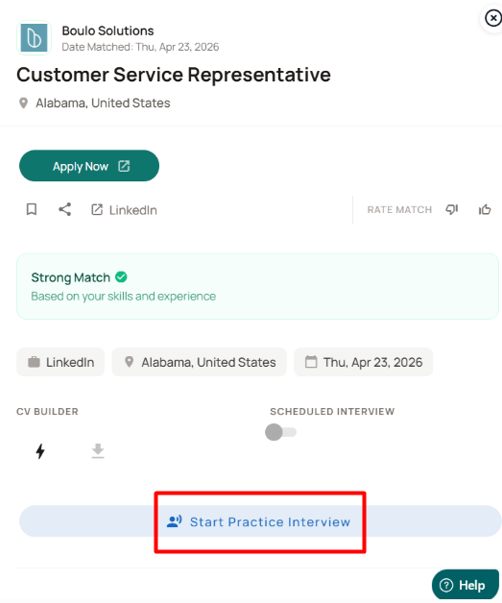
You can access it from the All Matches tab by opening a job match and clicking Start Practice Interview. This starts a mock interview experience tailored to that specific role.
The feature allows you to answer interview-style questions by speaking into your microphone. Your responses are then evaluated, so you can and prepare more effectively.
How does the Interview Preparation feature work?
The feature is linked to a specific job match in your account.
To use it:
Go to the All Matches tab.
Open the job match you want to prepare for.
Click Start Practice Interview.
Configure your session settings.
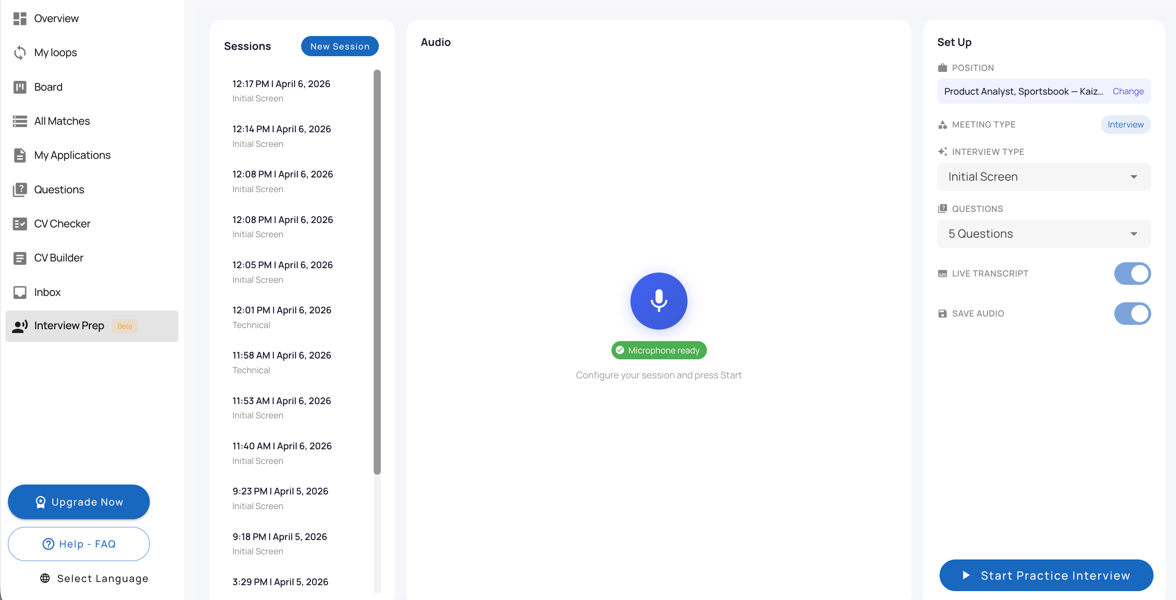
Click Start Practice Interview.
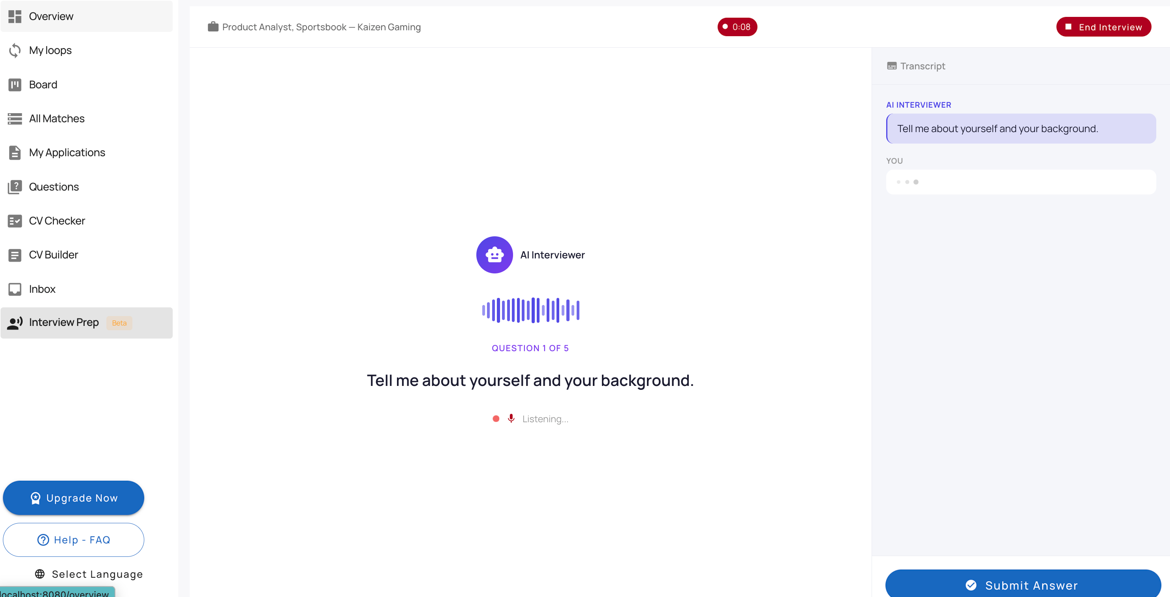
Once the session begins, the AI interviewer asks questions one by one, and you answer using your microphone.
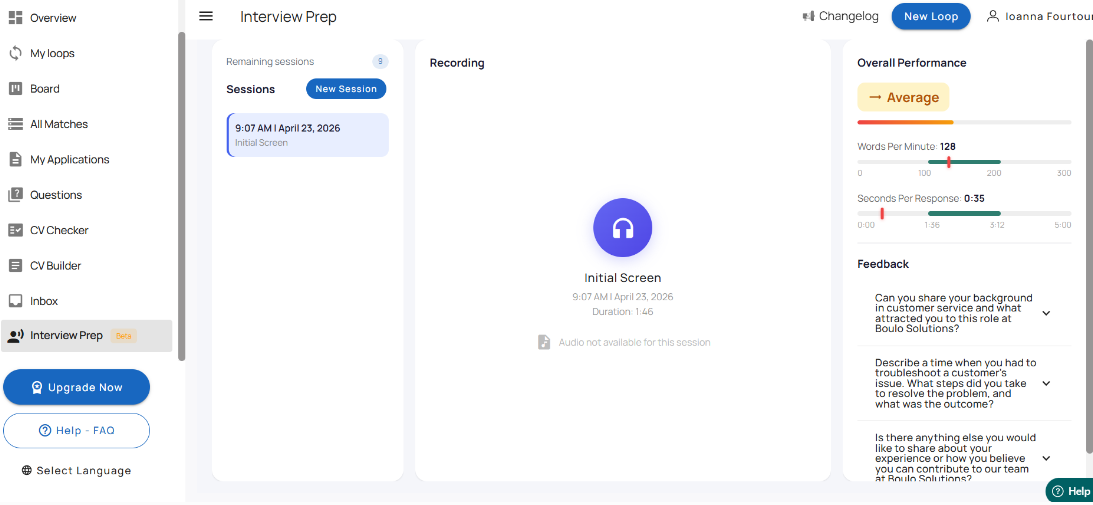
After you submit your responses, each answer is evaluated individually and you receive feedback on its overall quality, along with specific suggestions for improvement. This helps highlight what worked well, where your answer could be stronger, and how to refine it into a clearer, more confident, and more effective response.
Is the practice interview linked to a specific job?
Yes. The Interview Preparation feature is launched from an individual match, so it is designed to help you prepare for that specific role.
For example, if you open a Product Analyst match and click Start Practice Interview, your session will be based on that job opportunity.
What can I configure before starting?
Before starting your practice interview, you can set up:
Position – the job you want to practice for
Interview Type – for example, an initial screen
Questions – choose how many questions you want in the session
Save Audio – enable this if you want your audio to be saved
Then click Start Practice Interview to begin.
How are my answers shown during the session?
During the session, the AI interviewer asks each question individually, and your spoken responses are converted into text in the transcript area.
This helps you review what you said more easily, while also keeping a written record of your answers for that session.
Does the feature evaluate my responses?
Yes. After you answer the interview questions, the system evaluates your responses to help you practice more effectively.
This can help you reflect on your answers, identify areas to improve, and feel better prepared for the actual interview.
Can I review previous practice sessions?
Yes. The Interview Prep page includes a Sessions section where you can view previous practice sessions.
This allows you to revisit earlier interview practice attempts and continue improving over time.
Why should I use Interview Preparation?
Interview Preparation can help you:
practice answering interview questions
prepare for a specific job opportunity
receive feedback on your responses
improve your confidence before an interview
Was this article helpful?
That’s Great!
Thank you for your feedback
Sorry! We couldn't be helpful
Thank you for your feedback
Feedback sent
We appreciate your effort and will try to fix the article