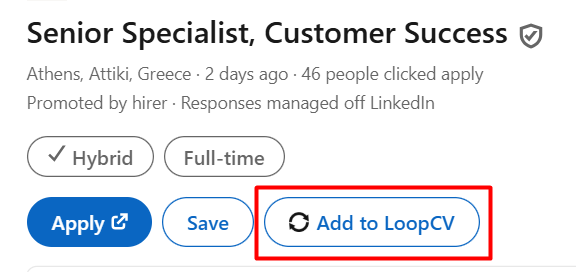
You can add job listings from LinkedIn directly to your LoopCV account using the “Add to LoopCV” button.
Before using this feature, please make sure that:
Our Chrome Extension is installed: Apply Tool
You are logged in to both your LinkedIn account and your LoopCV account in the same browser.
To add a job listing:
Log in to LinkedIn and navigate to the Jobs section.
Open the job listing you are interested in.
Click the “Add to LoopCV” button.
The job will then appear in your “All Matches” tab, where you can proceed with the application.
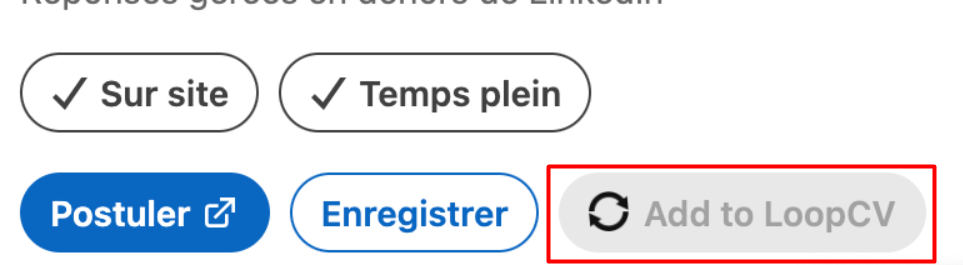
Please note that this feature is currently supported only when LinkedIn is set to English. If LinkedIn is set to a different language, the “Add to LoopCV” button will appear greyed out and cannot be clicked, as shown in the screenshot below.
Was this article helpful?
That’s Great!
Thank you for your feedback
Sorry! We couldn't be helpful
Thank you for your feedback
Feedback sent
We appreciate your effort and will try to fix the article