Our platform allows you to tailor your CV to a specific job match. Using the job description of that match, our AI automatically optimizes your CV so it’s perfectly aligned with the requirements of that role.
How It Works
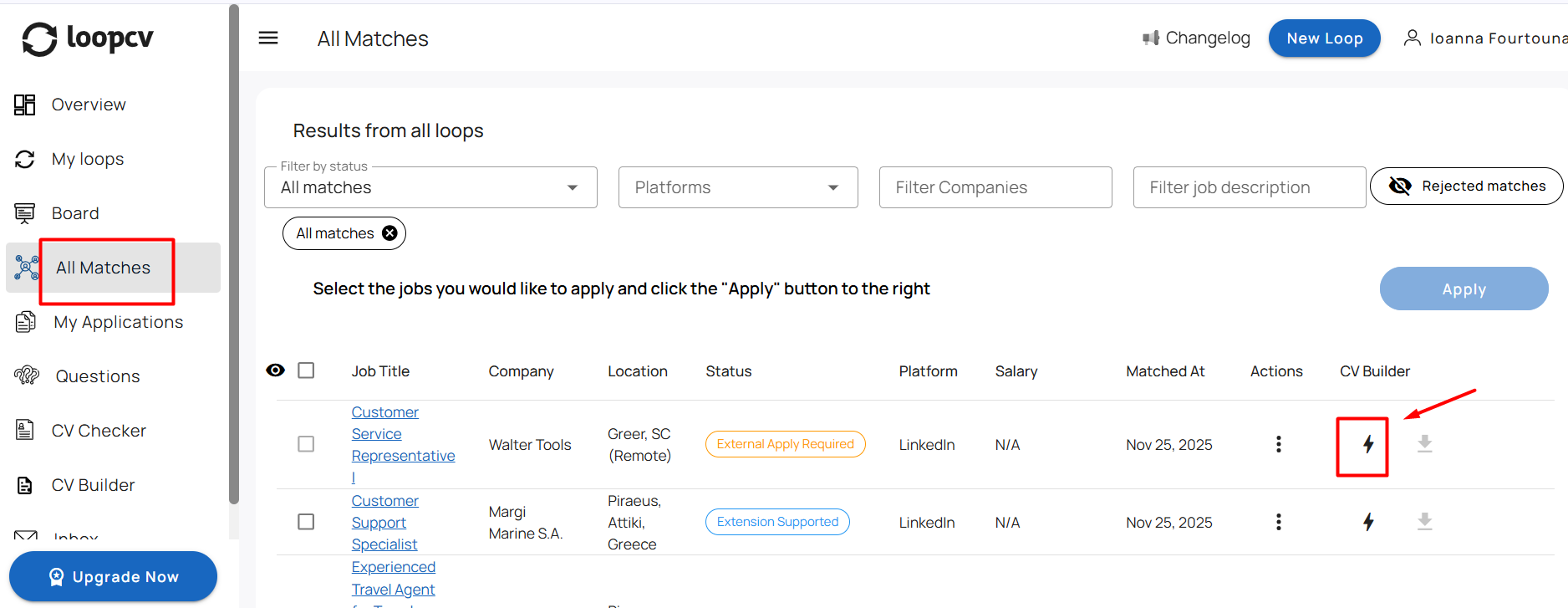
Go to your “All Matches” tab.
Click the lightning icon next to the job match you want to tailor your CV for.
3. You’ll be redirected to the CV Builder.
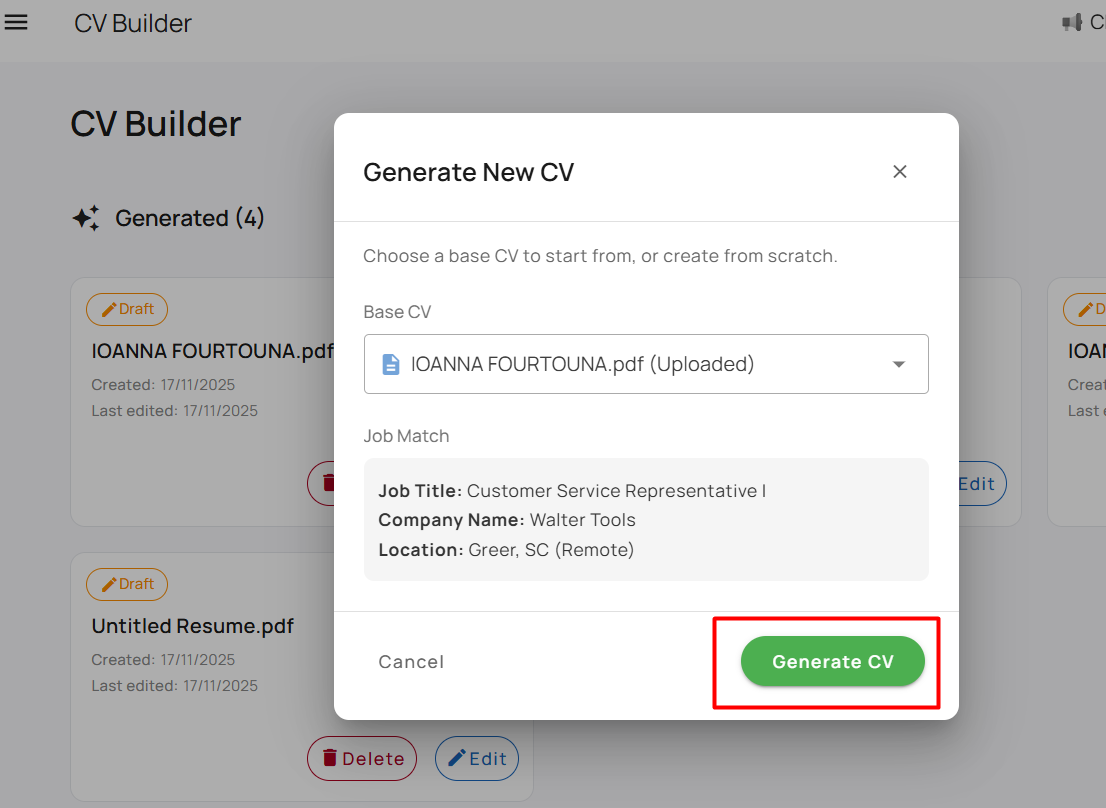
4. Select your CV, and click “Generate CV”.
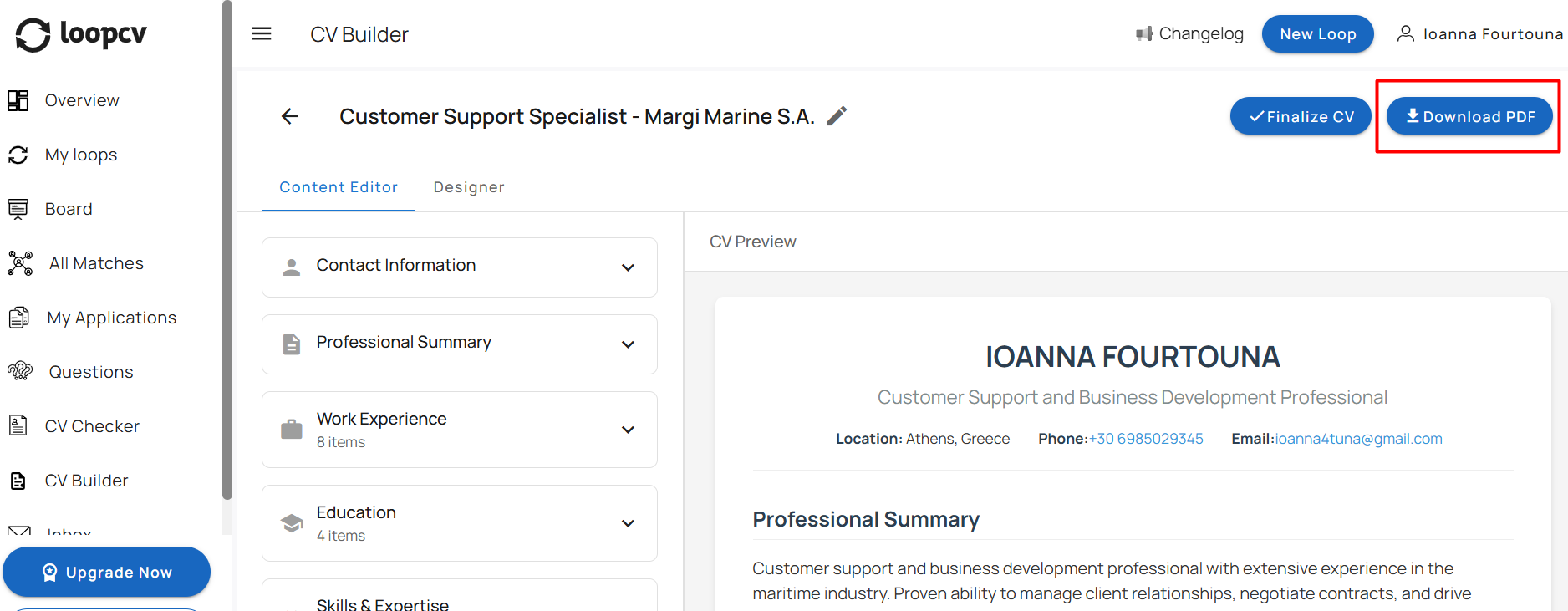
5. Once generated, click “Download PDF” to save your tailored CV.
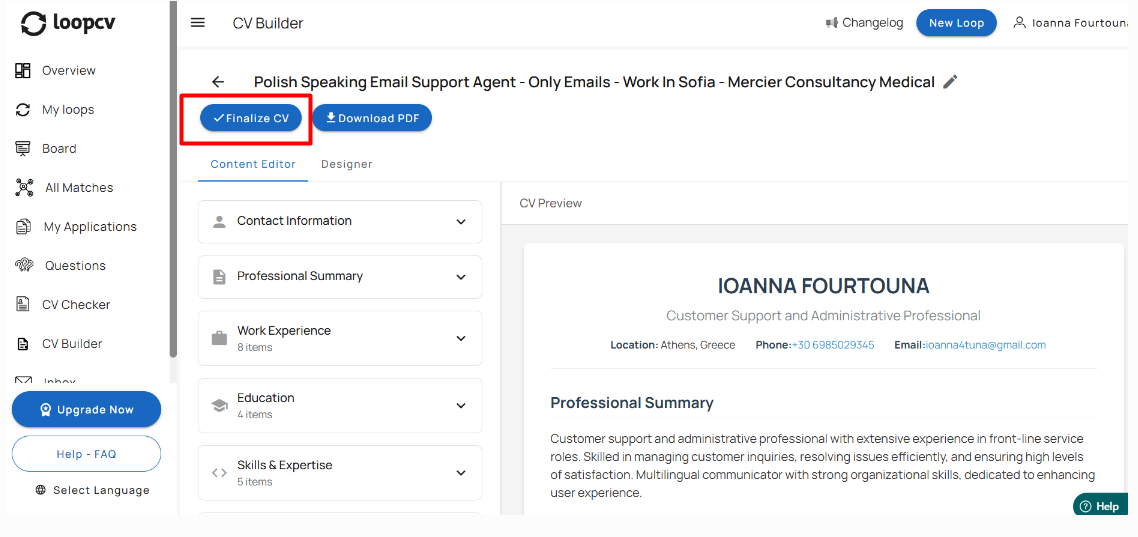
If you want to upload your tailored CV to a specific loop, follow these steps:
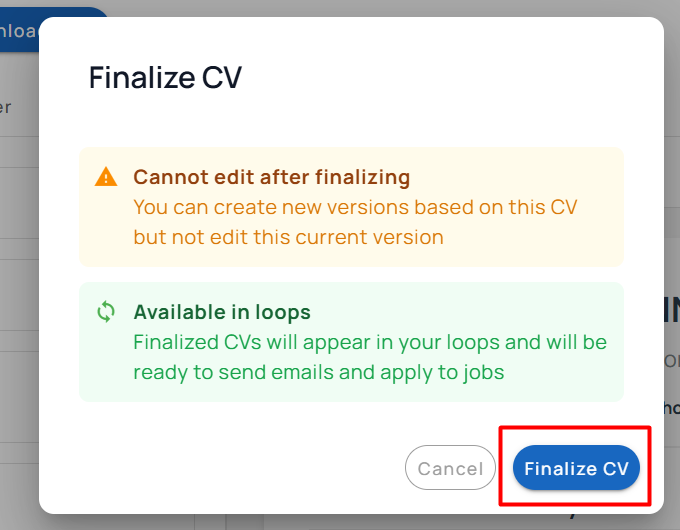
Click the Finalize CV button. Once finalized, your CV will be added to your available CVs.
2. Go to the loop where you want to use it.
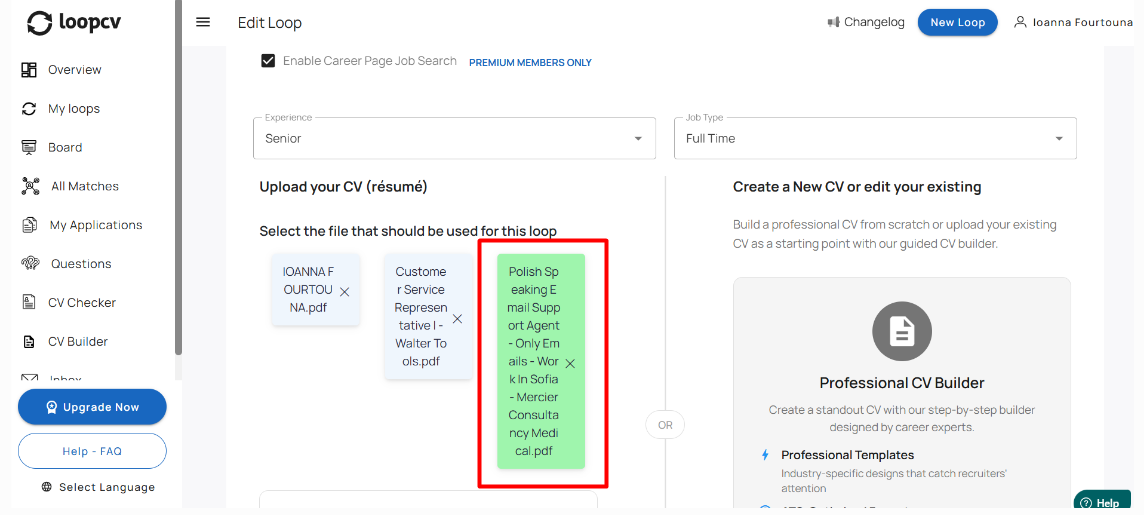
3. Edit the loop and select your newly finalized CV to make it active for that loop.
Important Notes
At the moment, CV Tailoring works only for manual applications.
Support for automated applications and Chrome Extension matches is coming soon.
Feature available exclusively to paid users.
Was this article helpful?
That’s Great!
Thank you for your feedback
Sorry! We couldn't be helpful
Thank you for your feedback
Feedback sent
We appreciate your effort and will try to fix the article