If you want all of your existing loops to use the same CV for future applications, you can set one of your uploaded CVs as the default.
Follow these steps:
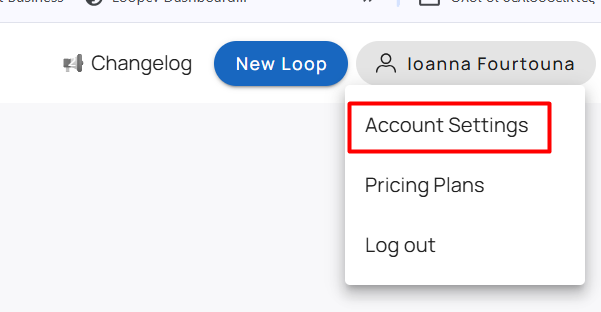
Click on your name in the top-right corner and select Account Settings.
Open the Account Settings tab.
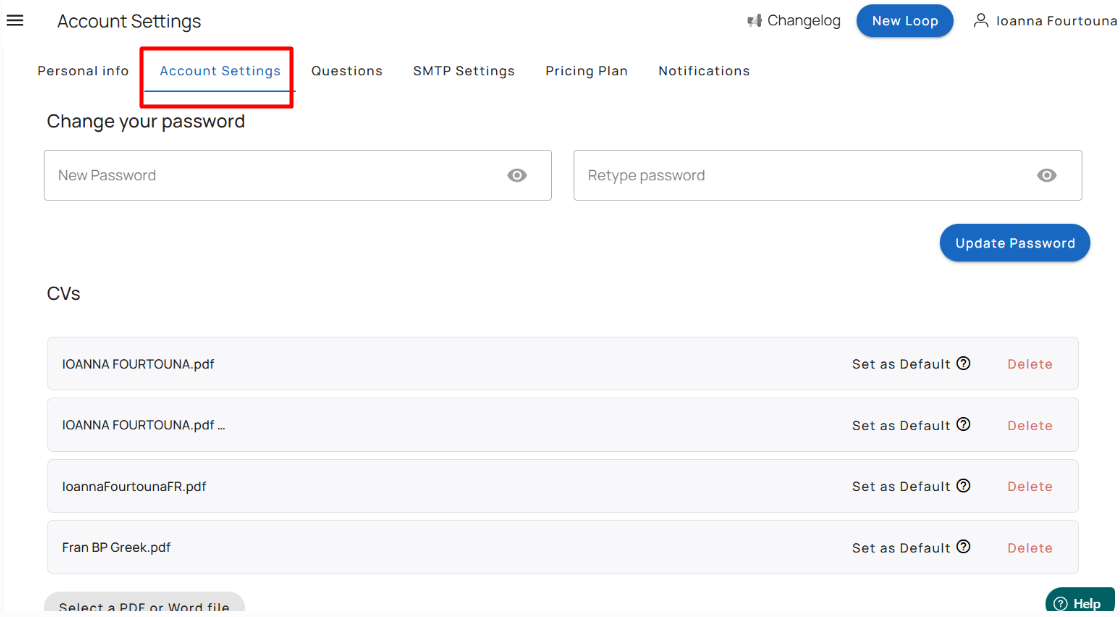
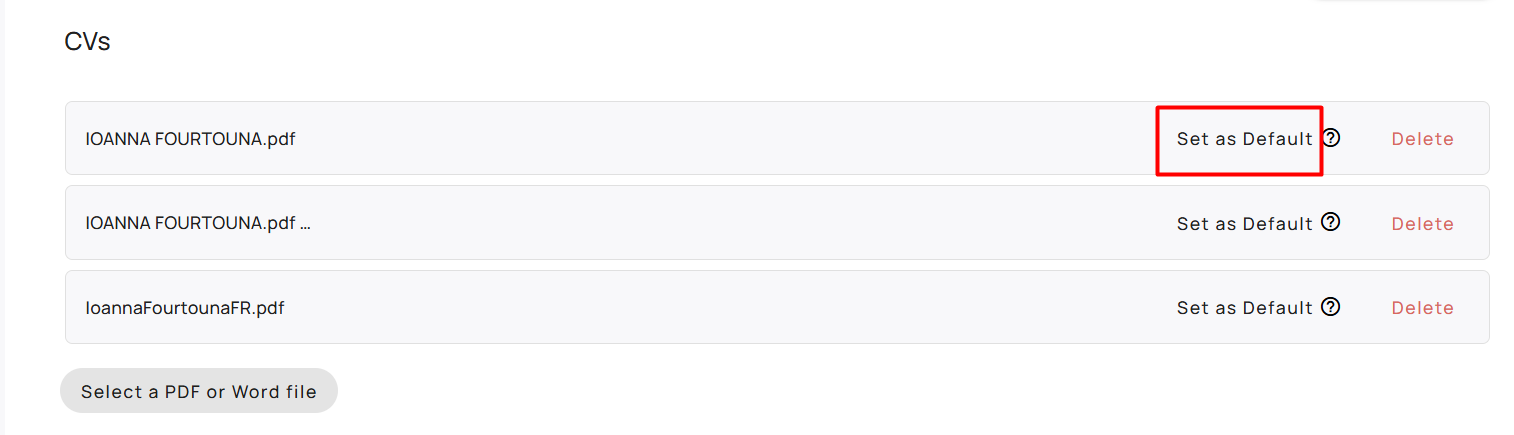
Under the CVs section, locate the CV you want to use.
Click Set as Default next to that CV.
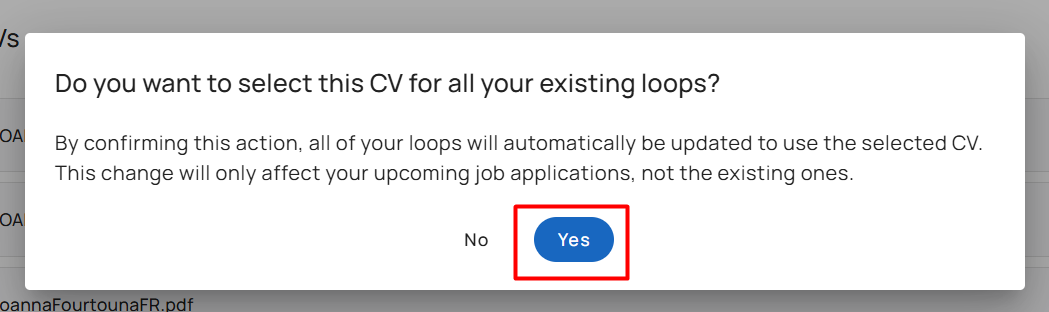
A confirmation pop-up will appear asking whether you want to apply this CV to all your existing loops.
Click Yes to confirm.
Important:
This will automatically update all of your existing loops to use the selected CV.
The change will only apply to future job applications.
Any applications that have already been submitted will not be affected.
Was this article helpful?
That’s Great!
Thank you for your feedback
Sorry! We couldn't be helpful
Thank you for your feedback
Feedback sent
We appreciate your effort and will try to fix the article